Zendesk Guide
Keep your Zendesk help center up to date after every release
Your product ships every week. Your Zendesk Guide articles, in every language, fall behind. Amendary finds the sentences a release made wrong and drafts the fix in every language. You approve it once, and the live articles are updated.
- Fix lands as
- An edit to the live article
- Languages
- Every language, one approval
- Missing languages
- Drafted, saved as drafts
- Follows
- A repo or your changelog
The problem
A release changes how something works. The English article still says the old thing, and so do the German, French and Spanish ones. Support hears it from customers first.
Release notes say what changed. They do not say which articles are now wrong, or in which languages. Finding out means reading every article, so it gets skipped.
What happens on a release
- Amendary reads what shipped: a release, tag or commit of your repo, or a new entry on your public changelog.
- It checks the source-language articles you watch, drafts included. Articles you do not watch are never read.
- It finds the sentence that became wrong and drafts the fix, with the change that proves it. If nothing became wrong, there is no fix.
- It carries the fix into each translation. Numbers, versions and names must match in every language, or that language waits for you.
- You approve once in the Queue. Amendary updates the live article in every ready language. A published article stays published and a draft stays a draft. See Review and undo.
- For 30 days, Undo writes the old text back in every language, if nobody edited the article since.
One release, four languages
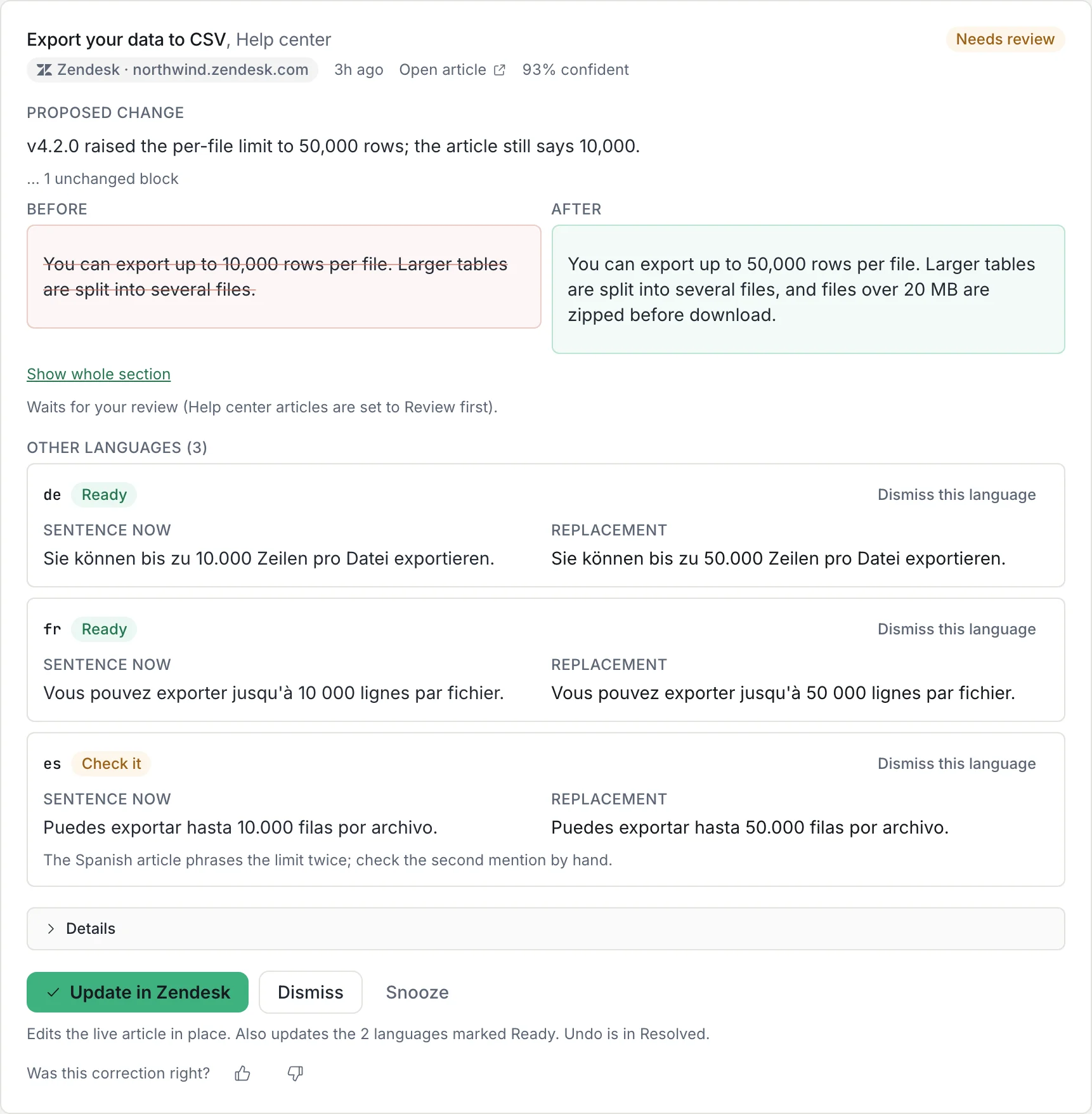
This change made 1 article out of date, 3 other languages
Release 3.2: password reset links now expire after 1 hour.
Sentence now
The reset link in the email works for 24 hours.
Replacement
The reset link in the email works for 1 hour.
Other languages (3)
- deReady
Sentence now
Der Link in der E-Mail ist 24 Stunden lang gültig.
Replacement
Der Link in der E-Mail ist 1 Stunde lang gültig.
- frReady
Sentence now
Le lien de l’e-mail reste valable 24 heures.
Replacement
Le lien de l’e-mail reste valable 1 heure.
- esReady
Sentence now
El enlace del correo funciona durante 24 horas.
Replacement
El enlace del correo funciona durante 1 hora.
One approval updates the live article in all four languages. You can dismiss one language alone, and undo the fix everywhere it went.
What to check before approving
- The release evidence must support the new value. In the example above, verify that reset links now expire after 1 hour before replacing 24 hours.
- Read the source sentence and each translated replacement. German, French and Spanish must all describe the same 1-hour limit. A Ready row passed the checks, but a person still judges the meaning.
- See which languages are Ready and which say Check it or Not found. Dismiss a language you do not accept, then check the article in Zendesk after applying.
What it does not do
No new help center
Your articles stay in Zendesk Guide. Readers never see Amendary.
Never publishes
It never publishes or unpublishes an article or a language. A missing language is saved as a draft.
Only what you watch
An article you do not watch is never read and never edited.
Never edits code
GitHub is only read, to see what shipped.
Setup in four steps
- 1On the Pages tab, select Add destination, pick Zendesk, enter your subdomain and sign in.
- 2On the Zendesk card, set Help articles follow: a GitHub repo or your changelog URL (owners).
- 3Browse your categories and sections, and watch the articles to keep correct. Their translations come with them.
- 4On Home, run a first check on recent changes instead of waiting a day. Then open the first fix in the Queue.
Where to go next
- Keep articles accurate after releasesA maintenance checklist for support teams.
- Keep translations currentReview each locale without losing track of the source change.
- Update Zendesk articles after a releaseA release-to-review walkthrough with a translation checklist.
- Multilingual supportHow one fix reaches every language.
- Connect Zendesk GuideSign in, permissions and disconnect.
- Help-center languagesHow translations are found, fixed and drafted.
- Zendesk integrationWhat Amendary reads and writes.
- Compare with Zendesk's own AIWhat each one does after a release.
- Daily checksHow fixes are found and held.
- PricingPlans by help articles watched, translations included.
Try Amendary on your own help center
Connect Notion, GitHub, Zendesk or Intercom and pick the articles to watch. Your first check shows what Amendary would fix, with the change as proof.
Free for 14 days with no card, and every edit waits for your review. Or free forever with your own Anthropic API key. Code is never touched.